Journal & Tracking
A trading journal you'll actually keep
Most traders quit journaling because it's slow. ZalorTrade makes logging a trade faster than tweeting about it — so your journal stays complete and your lessons stay captured.
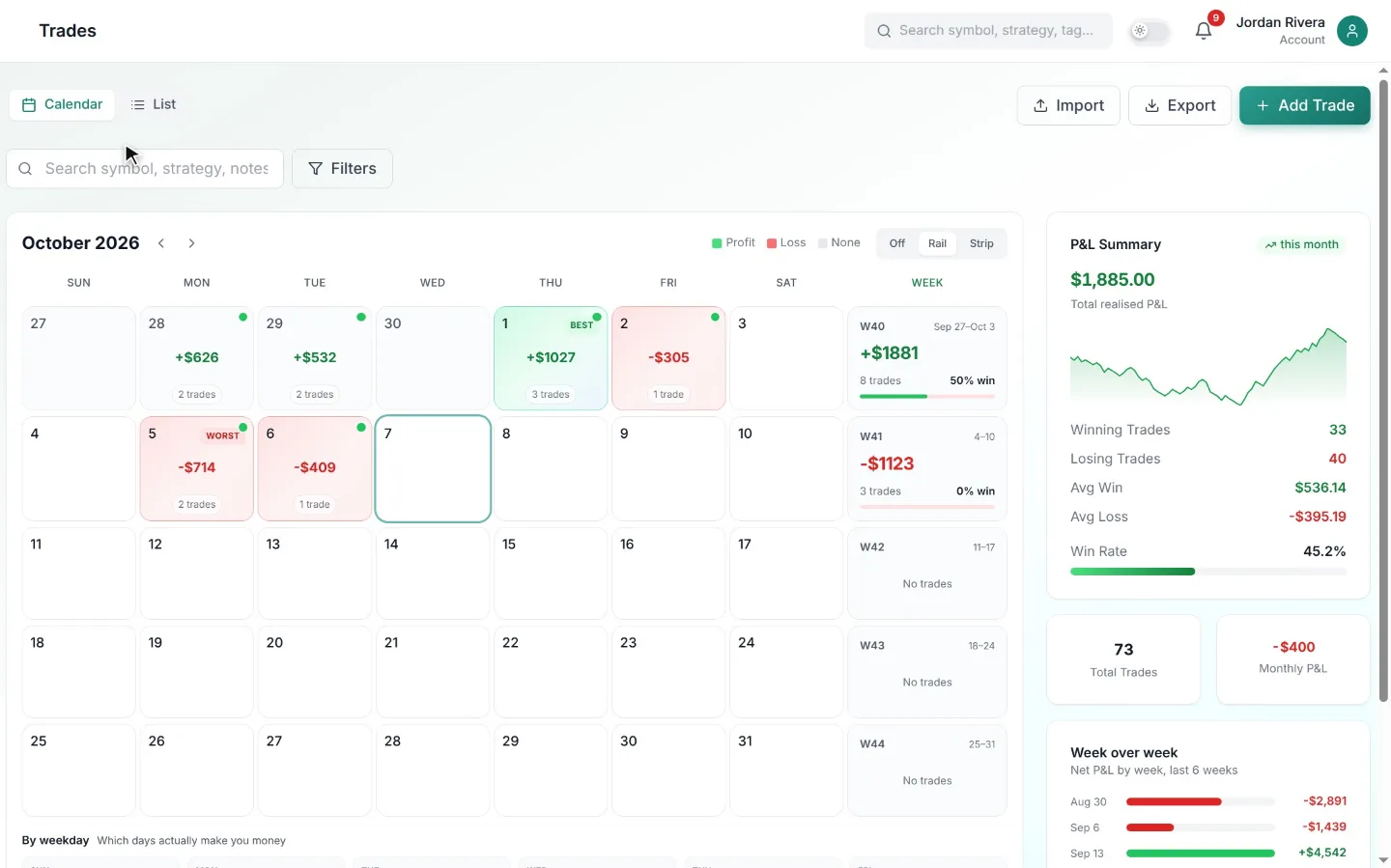
Why journaling is the highest-ROI habit in trading
Every professional trading desk reviews its trades; most retail traders never do. The difference isn't intelligence — it's feedback. Without a written record, your memory rewrites history: winners feel skillful, losers feel unlucky, and the same mistake repeats for months without being noticed.
A journal turns trading into a measurable process. When every entry, exit, and reason is recorded, patterns become undeniable: maybe your breakout setup only works in the morning session, or your losses cluster on days you skip preparation. You can only fix what you can see.
What a complete trade record looks like
A useful journal entry captures more than price and quantity. ZalorTrade records the full context: the instrument and direction, your planned stop and target, the setup tag, a chart screenshot taken at entry, and free-form notes on why you took the trade and how you felt.
At review time, that context is what matters. Comparing your planned R-multiple to the realised one shows whether you're cutting winners early. Reading your own entry notes shows whether you followed your rules or chased. Screenshots let you replay the decision with fresh eyes.
Built for speed, so the habit sticks
The number-one reason journals die is friction. Quick mode asks for only the essentials and fills sensible defaults for the rest. Templates pre-fill your recurring setups. And if you connect your broker, fills arrive automatically and you only add the notes.
Your data stays yours: export the full journal to Excel at any time, and import old history from any broker's CSV — so switching to ZalorTrade doesn't mean starting from zero.
How it works
Up and running in minutes
Log the trade
Quick entry or CSV import — the trade lands in your journal with all core fields filled.
Add the context
Screenshot, setup tag, and a two-line thesis while the trade is fresh in your mind.
Review weekly
Filter by tag or session, read your own notes, and pick one leak to fix next week.
FAQ
Common questions
Keep exploring
Related tools
Stop guessing. Start journaling with an edge.
Turn scattered notes into a measurable, repeatable process. Start with a 7-day free trial and keep it only if it pays for itself.